
OID Technology Explained in Plain Language
The four parts of point-reading
- Coded print. Books, flashcards, stickers or posters carry fine optical codes coordinated with the artwork — designed to be unobtrusive on the page.
- Sensor head. An optical sensor at the pen tip reads the code at the point of contact.
- Chip and storage. The processor interprets the code; the audio file lives on TF storage or soldered NAND flash.
- Audio output. The mapped file plays through the speaker (or earphones), with prompts and volume behavior controlled by firmware.
None of the four works alone. A correctly printed book with mismatched audio is silent; a perfect pen on badly printed codes misreads. This is why Kidkey Union produces pens and coded books in one program and validates them together.
Why print quality decides recognition
Recognition depends on the codes being printed within specification: paper stock and surface, ink behavior, code size and print tolerances. Problem pages usually trace back to one of three causes — codes outside tolerance, a paper or finish that interferes with reading, or an audio/code map mismatch. The factory's content pipeline provides the code map and coded-print specification so nominated printers or the in-house book line produce compatible pages.
OID 2.0 vs 3.0 vs 4.0 at a glance
| Recommended Aspect | OID 2.0 | OID 3.0 | OID 4.0 |
|---|---|---|---|
| Status | Established generation | Mainstream current generation | Progressing in R&D |
| Typical buyer | Publishers with existing coded libraries | All new programs | Confirmed at engineering review |
| Shipping models | KF1 specialist | B1, B2, Q6, K7, L5, P2, T2, Y6, Q8 | Not yet a shipping tier |
| Print handling | Legacy library dot specification | Current code map & print spec | Next-generation spec |
| Reprint needed to switch | Libraries stay native | Native for new content | n/a |
TF storage versus soldered NAND
- External or internal TF (B1, B2, Q6, K7, L5, P2, T2, Y6, Q8) suits libraries that expand — new levels, languages or editions after launch. The Q8 supports built-in TF storage up to 32 GB.
- Soldered NAND (F8 on the AK1053C platform) suits one fixed, curated or licensed title: no card socket to fail and content cannot be swapped in the field.
How a book program is actually matched
- Layout and page positions are turned into an OID code map, each code tied to an audio file ID.
- Audio is recorded or supplied to one agreed file list and naming convention.
- Coded-print guidance covers paper, ink and tolerances; print trials are read with the intended pen.
- Audio is loaded to the pen build and validated against pages across the whole code map before packing.

Every file is validated against the code map
- One file list and naming convention per program
- Audio loaded to the build — soldered NAND or external TF
- Pen-to-book validation across the whole code map
- Silent or mismatched pages isolated before packing
Four pens that cover every content situation

KF1 Reading Pen
OID 2.0 continuity · AK1060L · 160x48 LCD · wireless charging · 400 mAh
Request quote
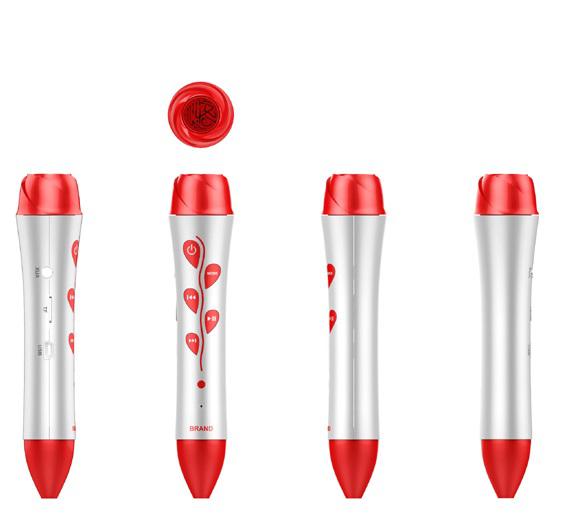

One platform, four learning settings




Buyer implications
- Reusing an OID 2.0 library? Start from KF1 — do not let anyone force a 3.0 reprint.
- Planning a growing graded series? Choose an external-TF model such as K7 or L5.
- Shipping one licensed title at volume? The fixed-NAND F8 removes socket failures and content swapping.
- Adding video to the content model? The Q8's 2.4-inch TFT is the multimedia tier.
Bring your book dummy or existing print files to the RFQ; engineering maps the OID generation, model and print plan together. More on the publishing workflow at publisher OID books.